When you spend on the Pliant card the transaction will instantly appear in your Expenses>Drafts.
Upload the receipt and it will automatically match to the transaction.
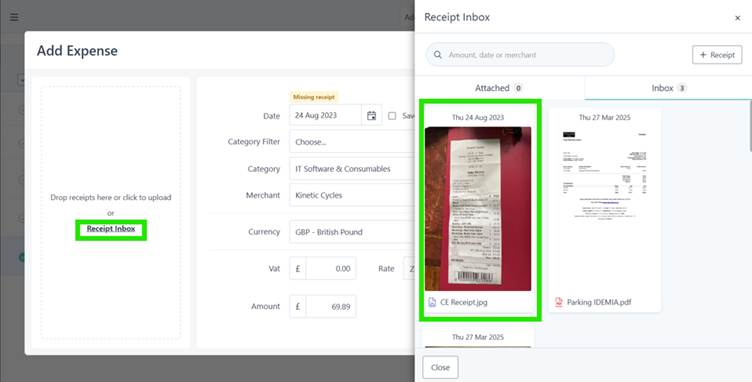
If it does not match, select the transaction and press Edit from the right-side actions menu, click on Receipts inbox on the left-hand side of the claim form. The Receipts inbox will open> select the receipt> Save.
How do I raise a claim if I spend my own money?
If you have purchased an item and not used the card but your own money, when you upload the receipt, it will go into your Receipts inbox.
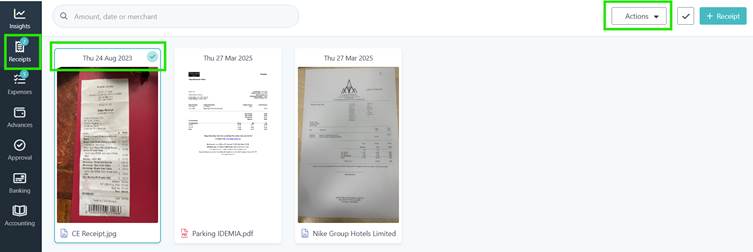
Go to Receipts>select the receipt you want to expense>on the right side a new Actions dropdown will appear>select Expense. Using the information from the receipt the system will create a draft expense, check and complete any additional details>Save and then Submit for approval when ready.
Was this article helpful?
That’s Great!
Thank you for your feedback
Sorry! We couldn't be helpful
Thank you for your feedback
Feedback sent
We appreciate your effort and will try to fix the article